SEO & GEO
Helping AI-built apps get found, in Google and in AI answers
Context
Base44 is an AI-powered app builder: people describe what they want in a chat, and Base44 turns it into a working app or website. Many of them build for a business, so they need customers to find what they built.
Today that happens in two places. People still search Google, but more and more they ask ChatGPT, Claude or Gemini, and those assistants cite the pages they read. SEO makes an app findable in search, and GEO makes it findable in AI answers.
Challenge
To show up in search or in AI answers, an app needs meta tags, a sitemap, structured data and more. Before this project, Base44 users had to add all of that in code by hand. That works for developers, and for almost no one else on the platform.
Where we started
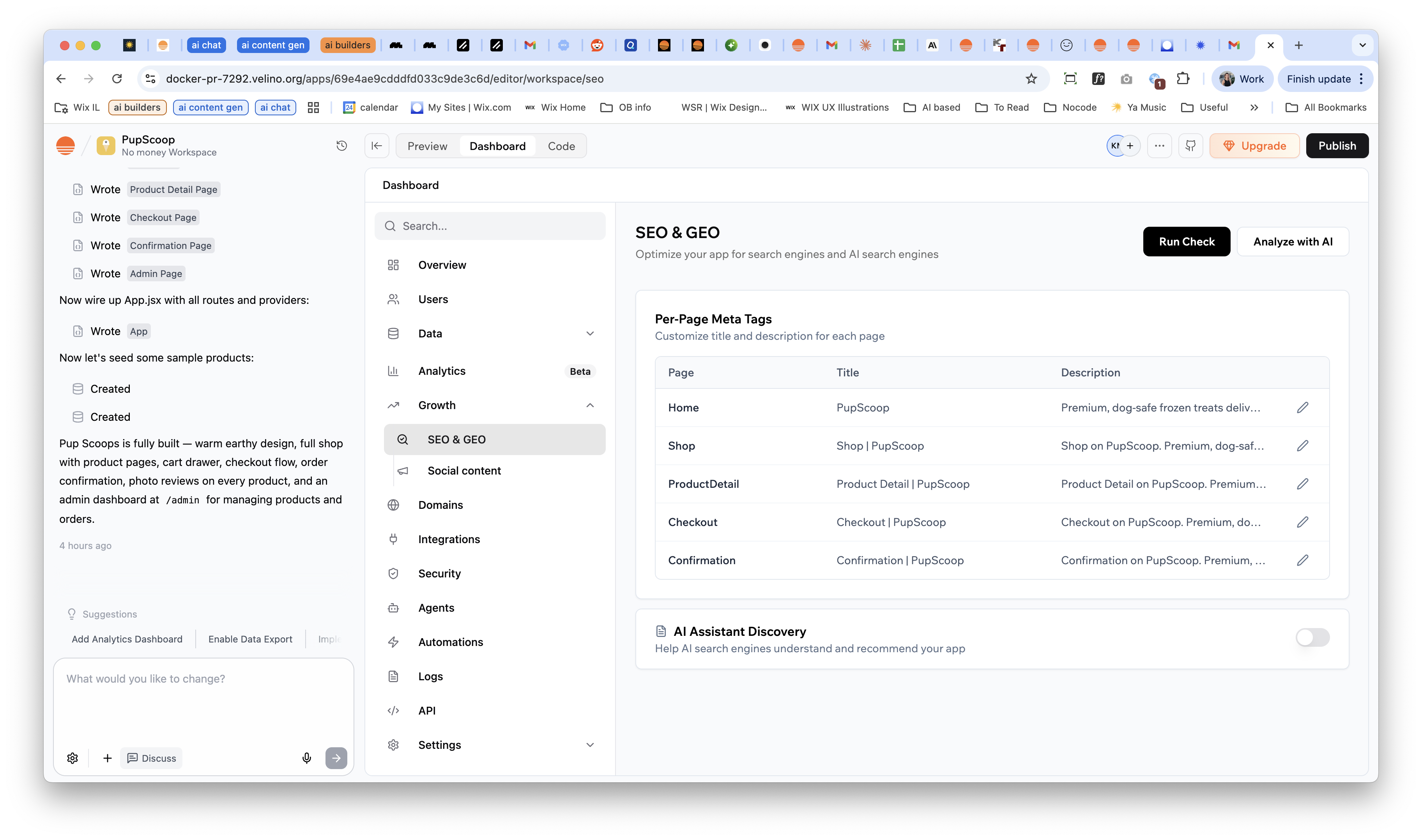
Like most things in a startup, the first version had to ship fast. An engineer built a working proof of concept. It proved the idea, and it showed everything the experience still had to solve.
First time experience doesn’t include user expectations





Research: User Voice & Competitors
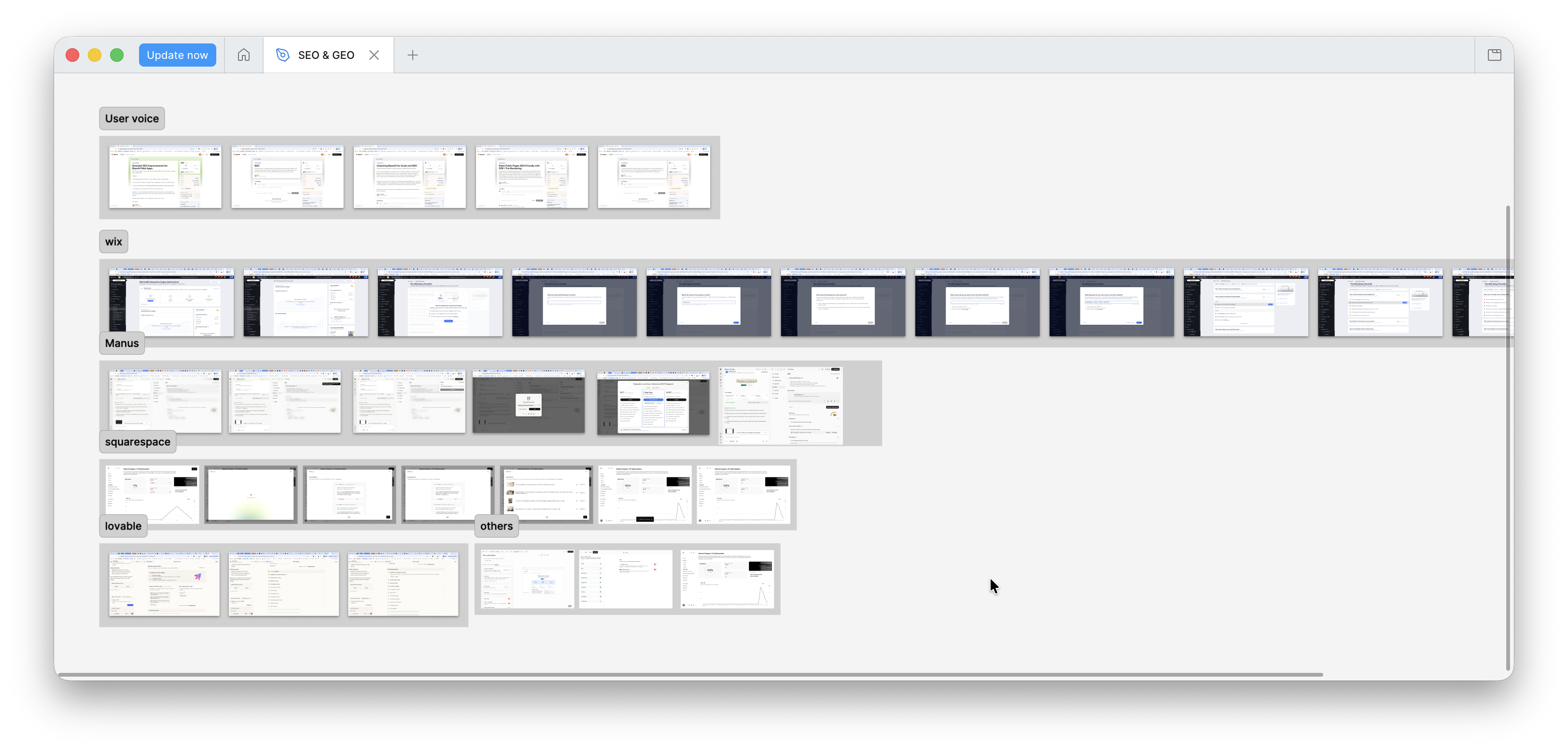
SEO was one of the most requested features from our users. I collected their requests and looked at how Wix, Squarespace and Manus handle SEO today. Between iterations Lovable released its own SEO tool, which gave us a direct benchmark.
At the time, no other AI app builder offered anything like this. Website builders like Wix attach SEO to predefined elements and templates. On Base44, every page is generated by AI and can change with the next prompt.
What we tried, and why we changed it
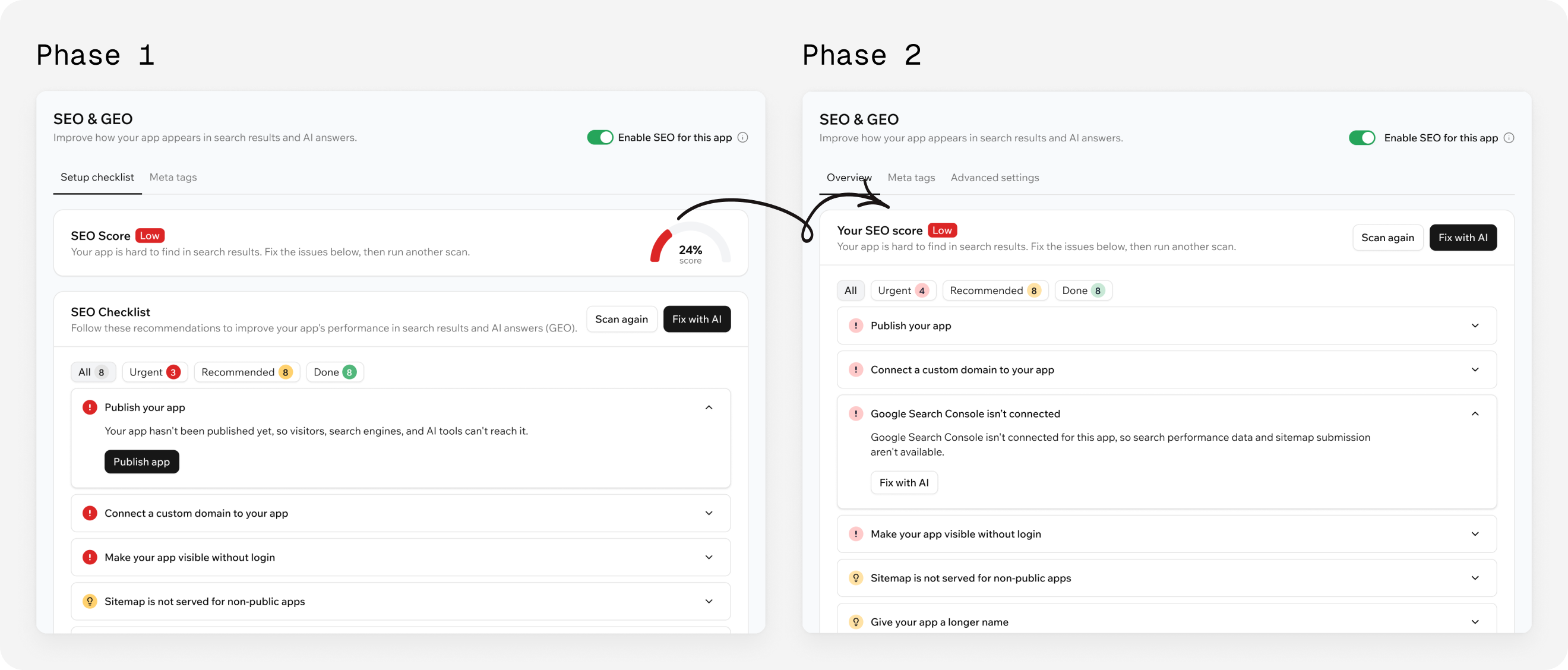
The score
We started with a number out of 100. But users fought to get from 99 to 100 even when every task was done. The number promised a precision that didn’t help anyone, so I replaced it with three levels: Low, Moderate and High.
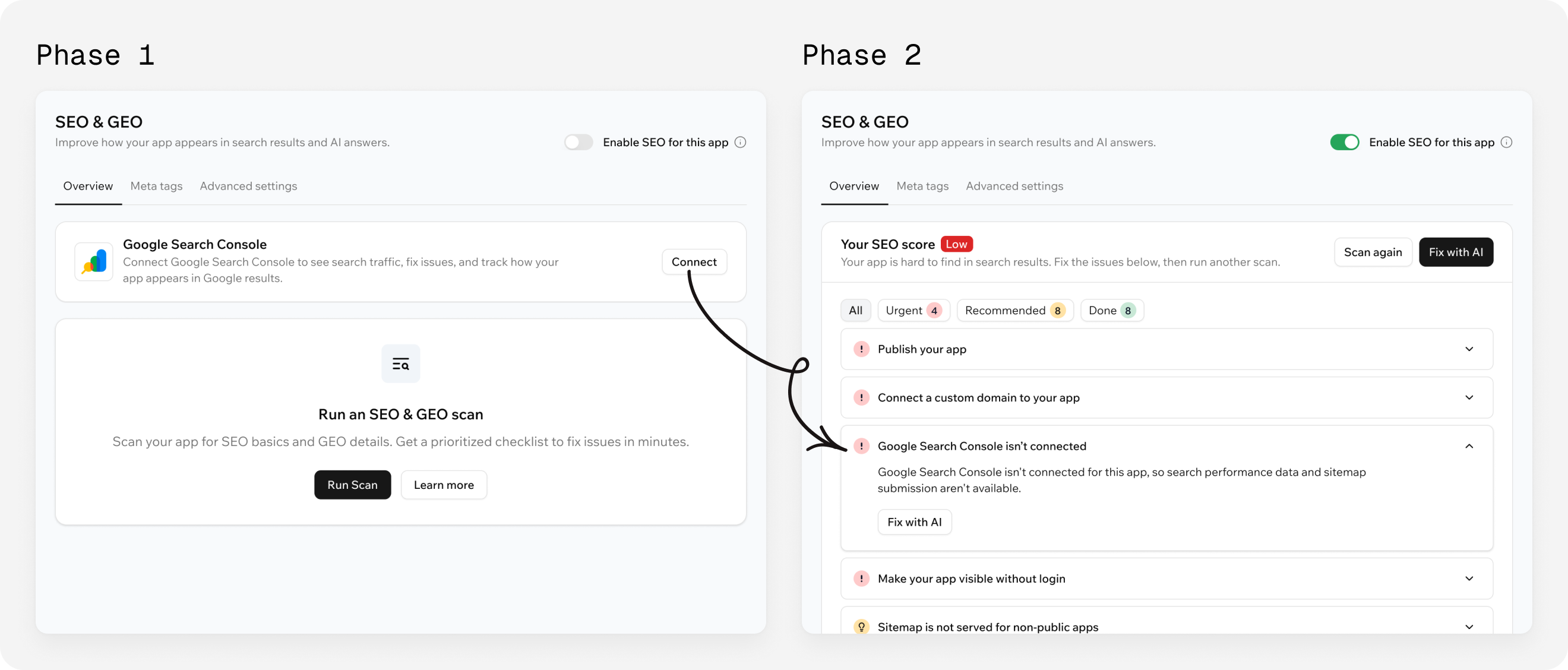
Google Search Console
We first made connecting it a separate step, but that only works for users who already know what Search Console is. For everyone else it’s better to set it up for them, so it became one checklist item that the chat completes, using conversational UX.
Shipping it myself
When Base44 moved to a new design system, this page had to be rebuilt anyway. Instead of handing over another round of specs, I made the latest UX changes in code myself with Claude Code and shipped them to production.

Final result
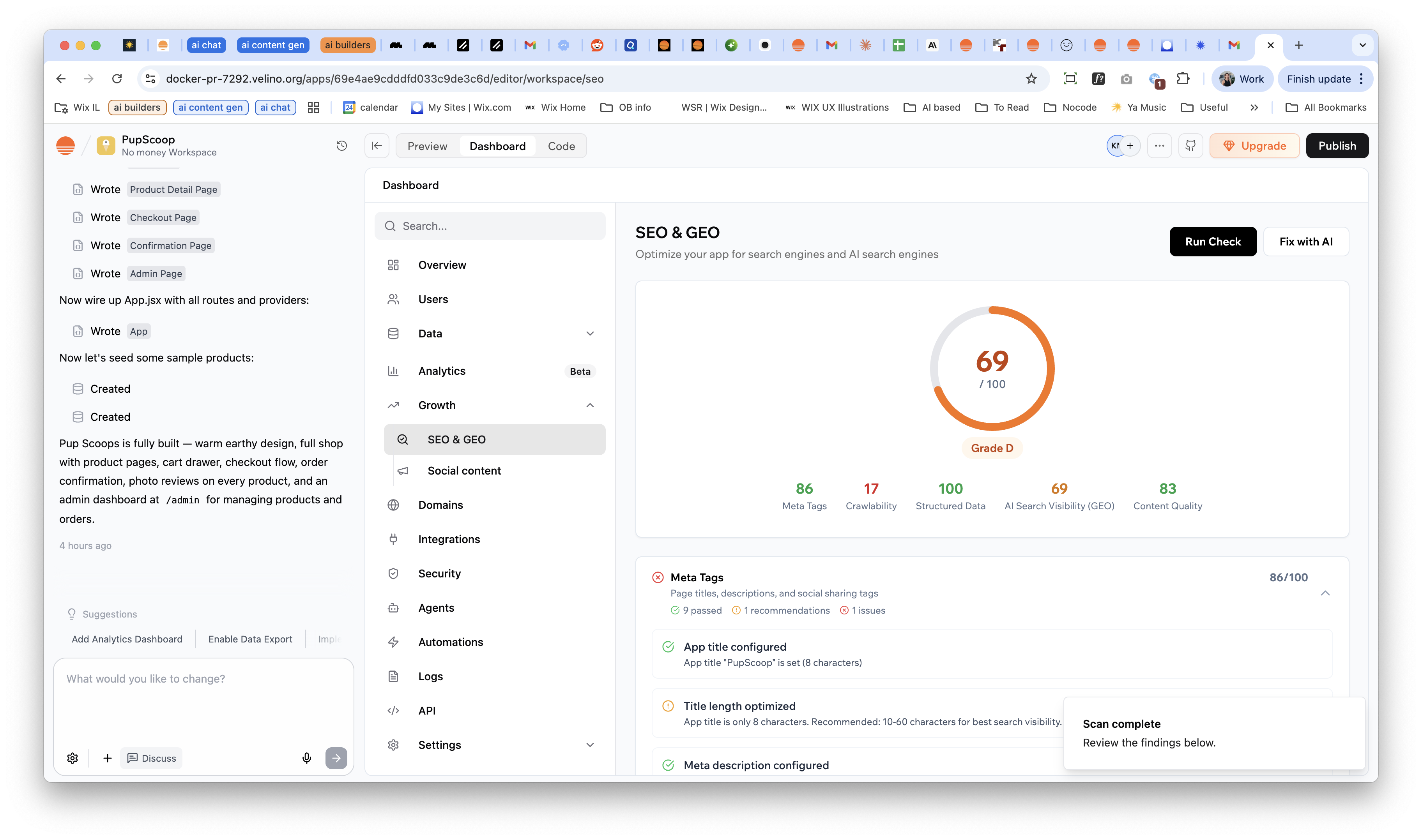
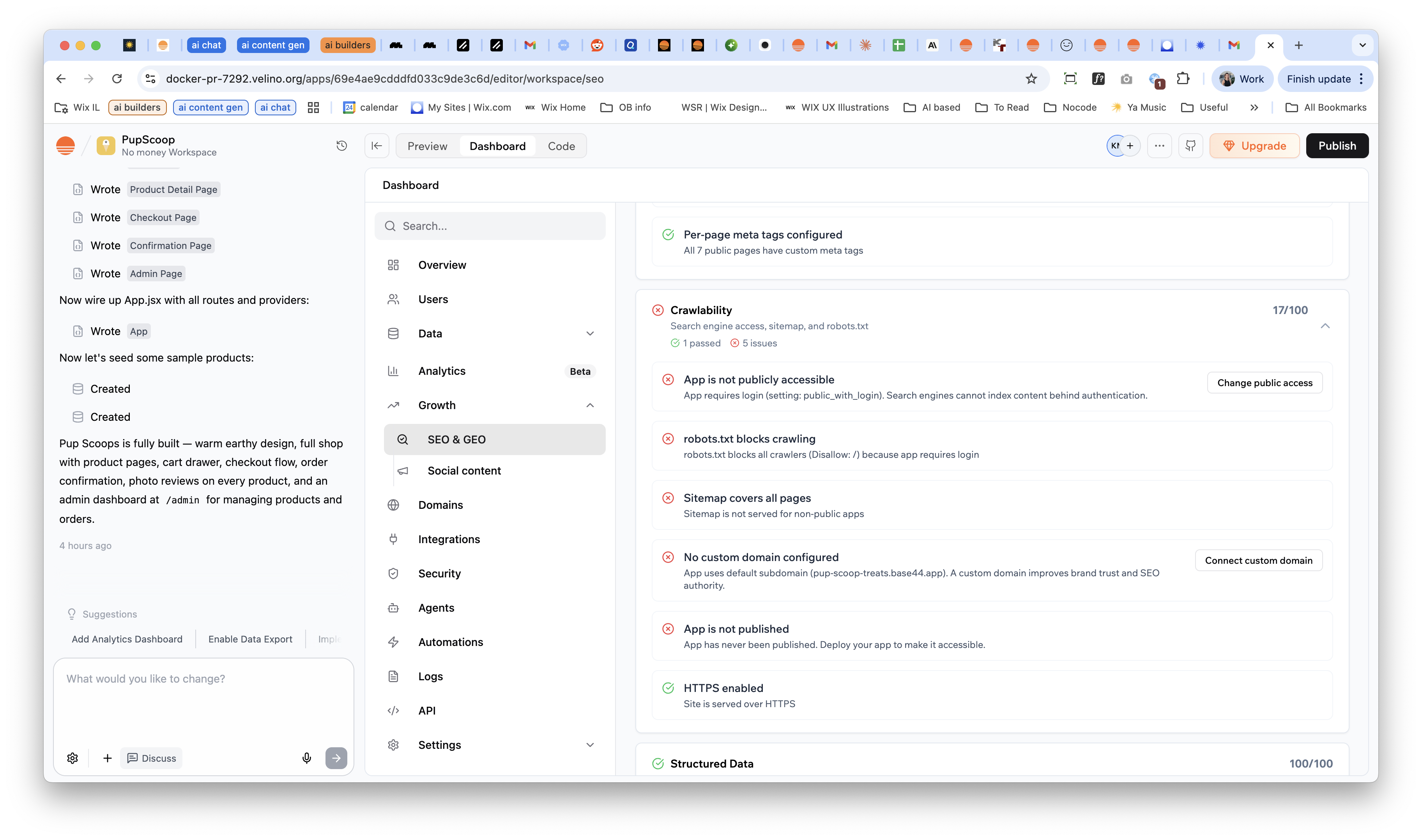
Scan your app and see where you stand
One scan, free of credits, returns a clear status and a short list of what to do first. Each item explains the problem in plain language and offers one action: publish, connect a domain, or let AI fix it.
Connect Google in one step through chat
Here we decided to combine conversational UX with the interface. Connecting Search Console normally means verification tags, sitemaps and other settings the user shouldn’t have to think about. Now the user clicks one item in the checklist, and our builder chat does that setup for them while connecting the integration.
Edit meta tags page by page, without code.
Base44 fills in titles and descriptions automatically. Users can edit any of them right in the table, or hide a page from search with one toggle.
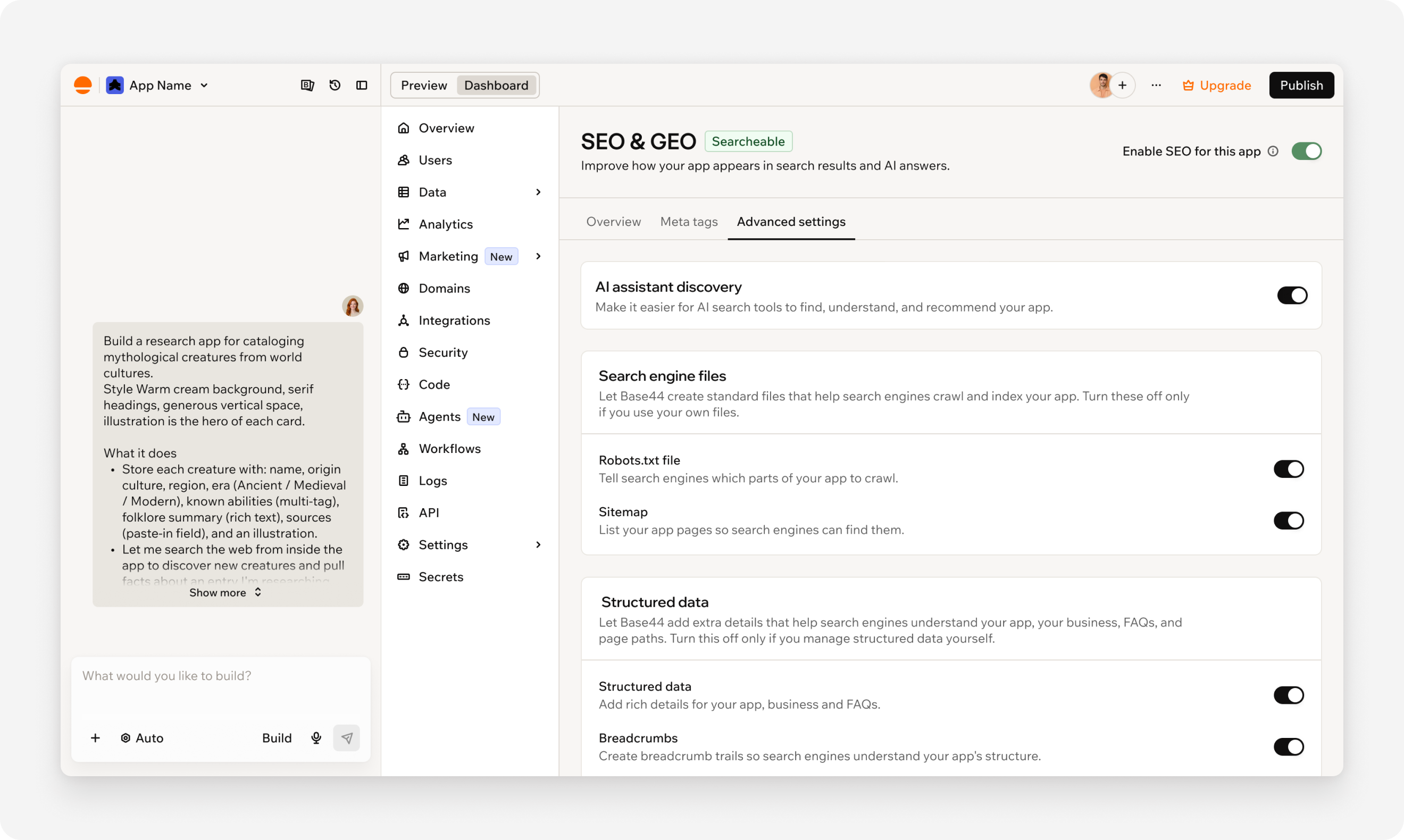
Advanced settings, out of the way and in plain words.
Developer-only toggles used to crowd the main page and hide the checklist. I moved them to their own tab, grouped them by purpose and rewrote each one in plain words.
Outcome
Before, users didn’t understand the tasks and didn’t trust a vague “Fix with AI”, so most issues stayed unfixed. After the latest changes (clearer task descriptions, fewer steps, and specific actions like “Connect” or “Change” instead of “Fix with AI”), interaction with the checklist grew by 22% in the 30 days after the latest changes were released.
Learnings
For non-technical users, the interface has to teach. The hardest part wasn’t the screens. It was deciding what a non-technical builder needs to know, what we can do for them, and when to stay out of their code.
Name the action, not the technology. “Fix with AI” told users nothing about what would happen. A specific verb like “Connect” made them click.